
To buy from verified businesses · free · no account · for iPhone and iPad · in Mexico
Browse. Ask. Buy direct.
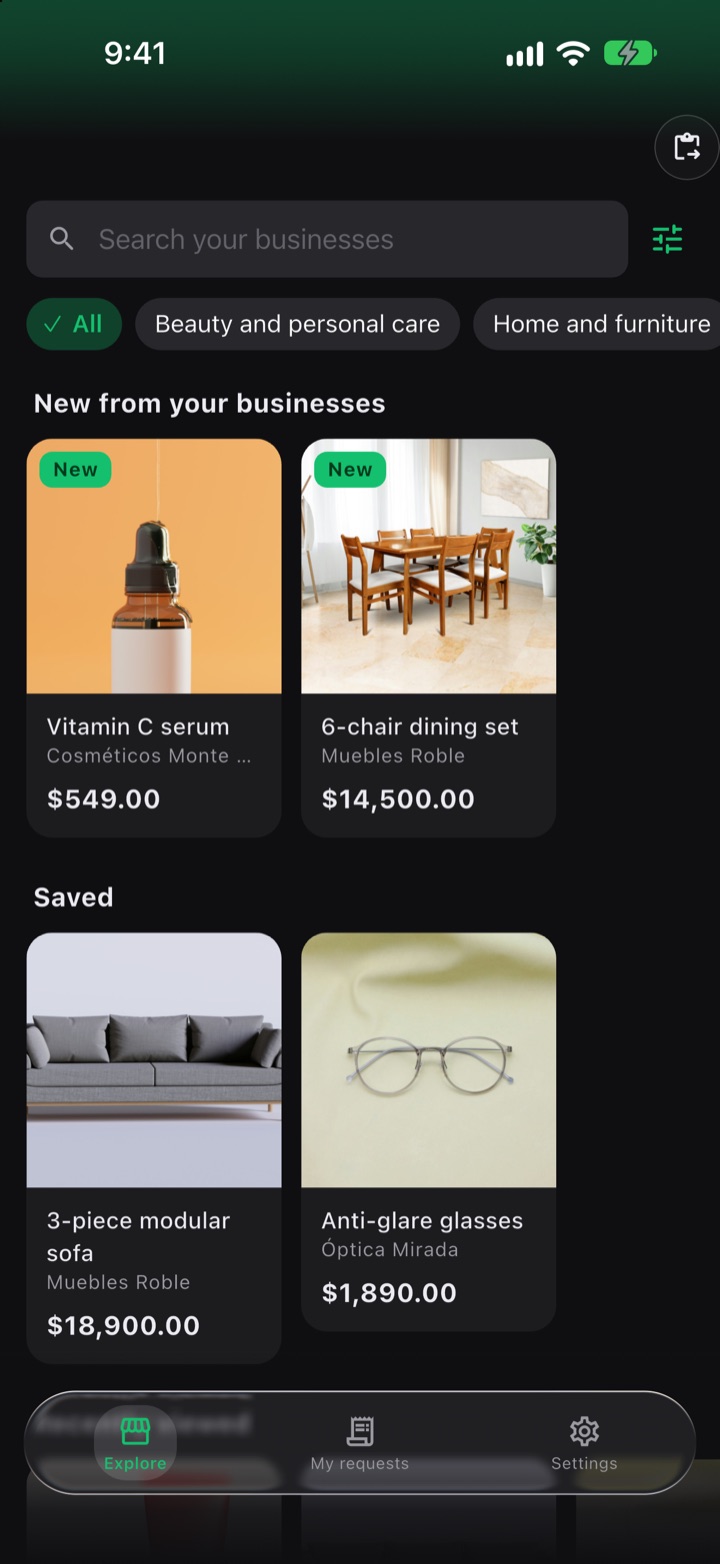
Open a verified business's link or QR code, see what it sells and ask for help. Someone from that business messages you on WhatsApp or calls you, whichever you prefer, and you buy directly from the business. No accounts, no passwords: your name and phone number travel sealed and only that business can open them.

Free · no ads · no account · for now, only in Mexico
On Android? FuaFlow Market is in a closed test on Google Play, Mexico only. Join the test →
A purchase with FuaFlow Market
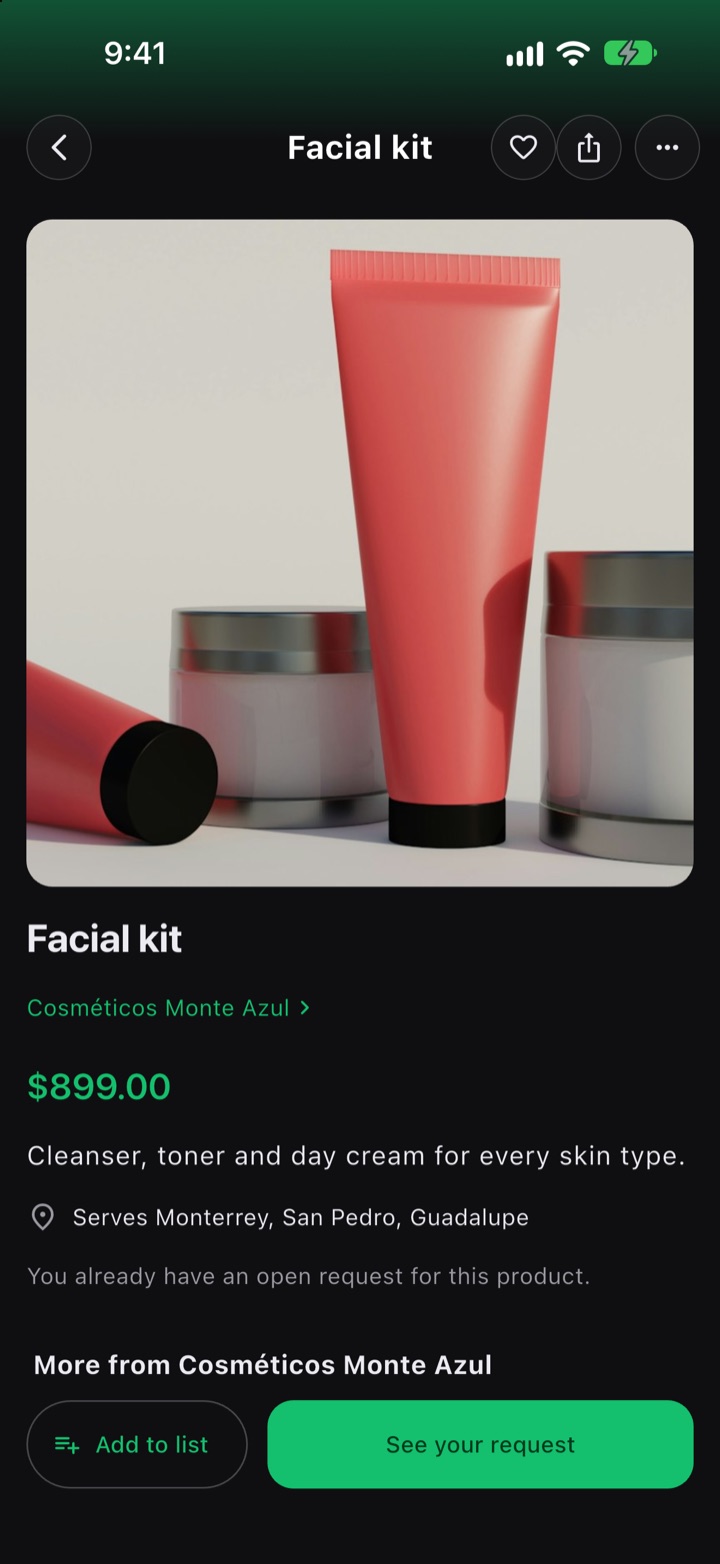
Laura is looking for a facial kit. Cosméticos Monte Azul sent her its link on WhatsApp.
-
9:02
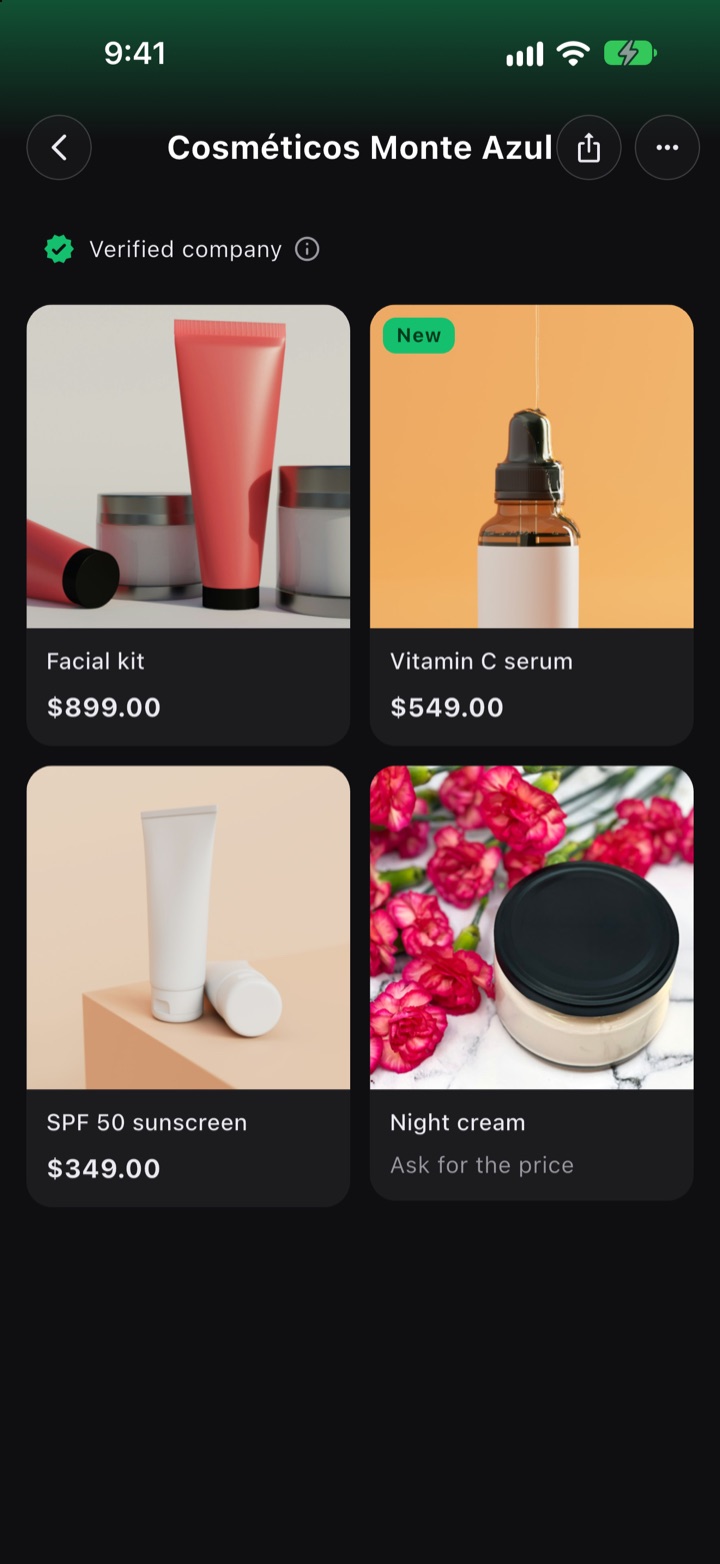
She opens the link
The business's link or QR code opens its catalog in FuaFlow Market: what it sells, its prices, the areas it serves and its hours. Before a business shows up here, we check who it is and who runs it.
-
9:05
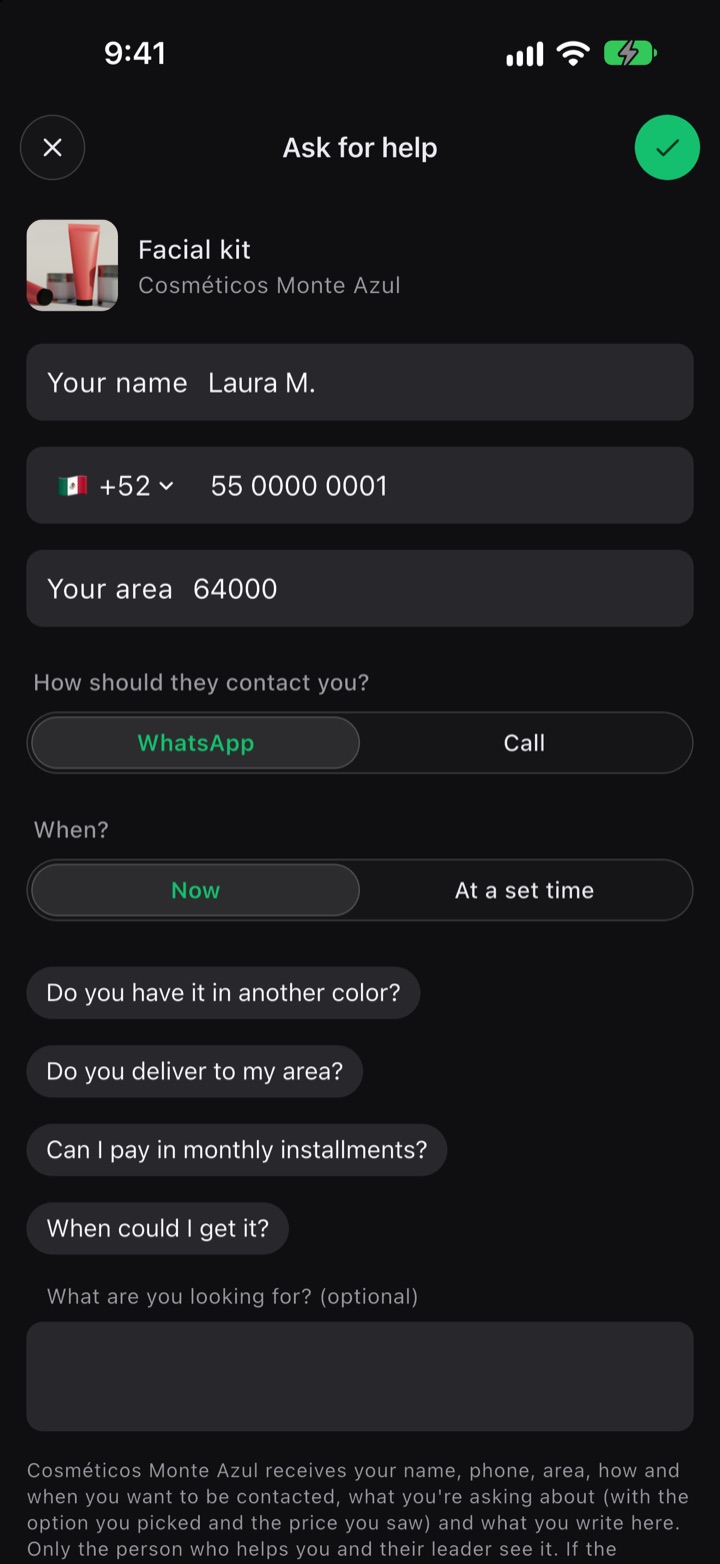
She asks for help
She taps “I want someone to help me” and leaves her name, her phone number with her country code, her area, and how and when she wants to be contacted. If she wants, she writes what she's looking for.
-
9:20
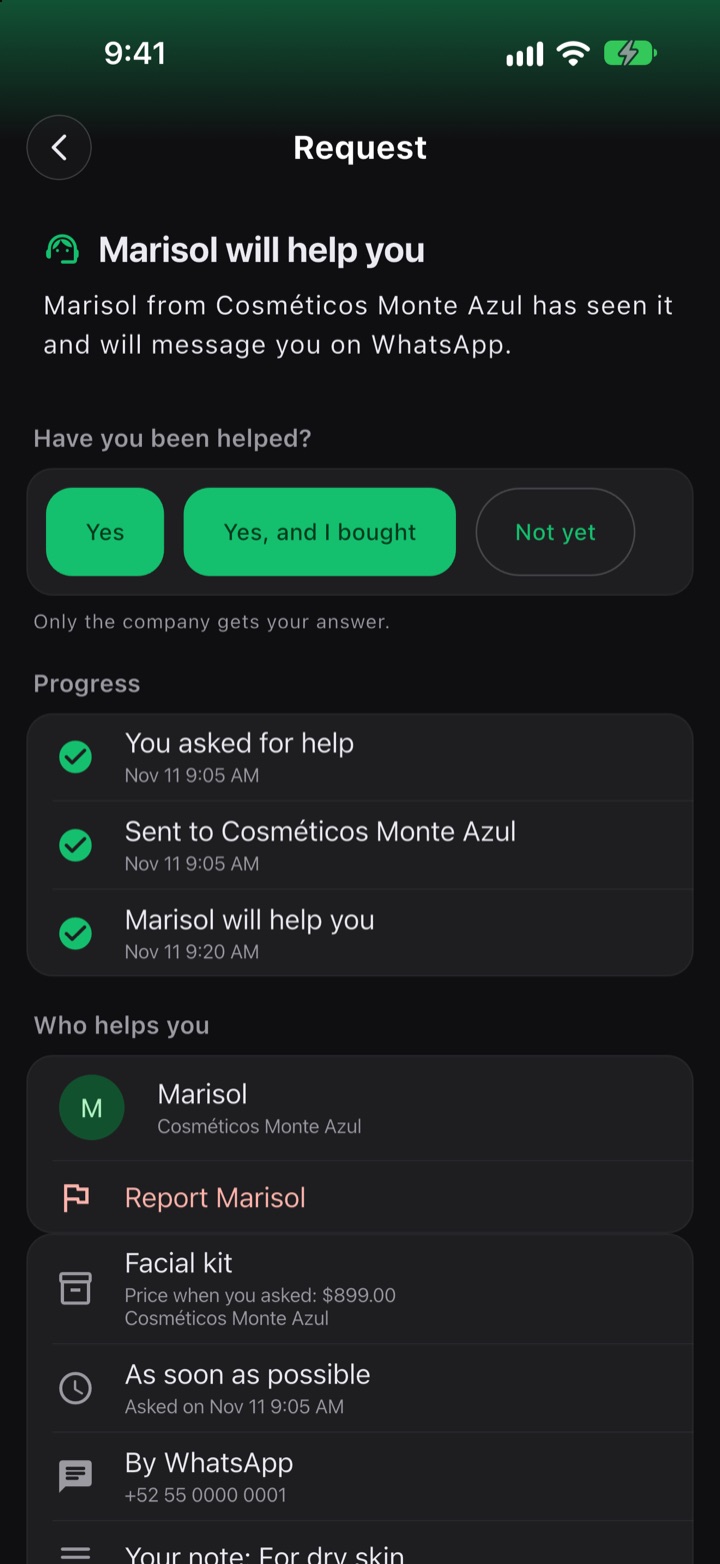
Someone from the business takes it
Marisol, from Cosméticos Monte Azul, takes her request, and the app tells Laura who will help her. Marisol messages her on WhatsApp, as she asked, and they close the sale between them: FuaFlow Market only puts them in touch.
-
Day 2
Have you been helped?
The next day, her phone asks whether she's been helped, and only the business gets her answer. If she wants, she rates how she was helped: it isn't published anywhere.
What it does
To ask the seller directly, with no account and no trackers.
Verified businesses
Before a business can publish, we check who it is, who runs it and that what it sells is allowed.
No account
No email, username or password: your identity is a key that lives on your phone.
Your request, sealed
Your name and phone number travel sealed for the people at the business who can help you and whoever runs it.
Your list
Save products and your phone lets you know if they drop in price or are back in stock.
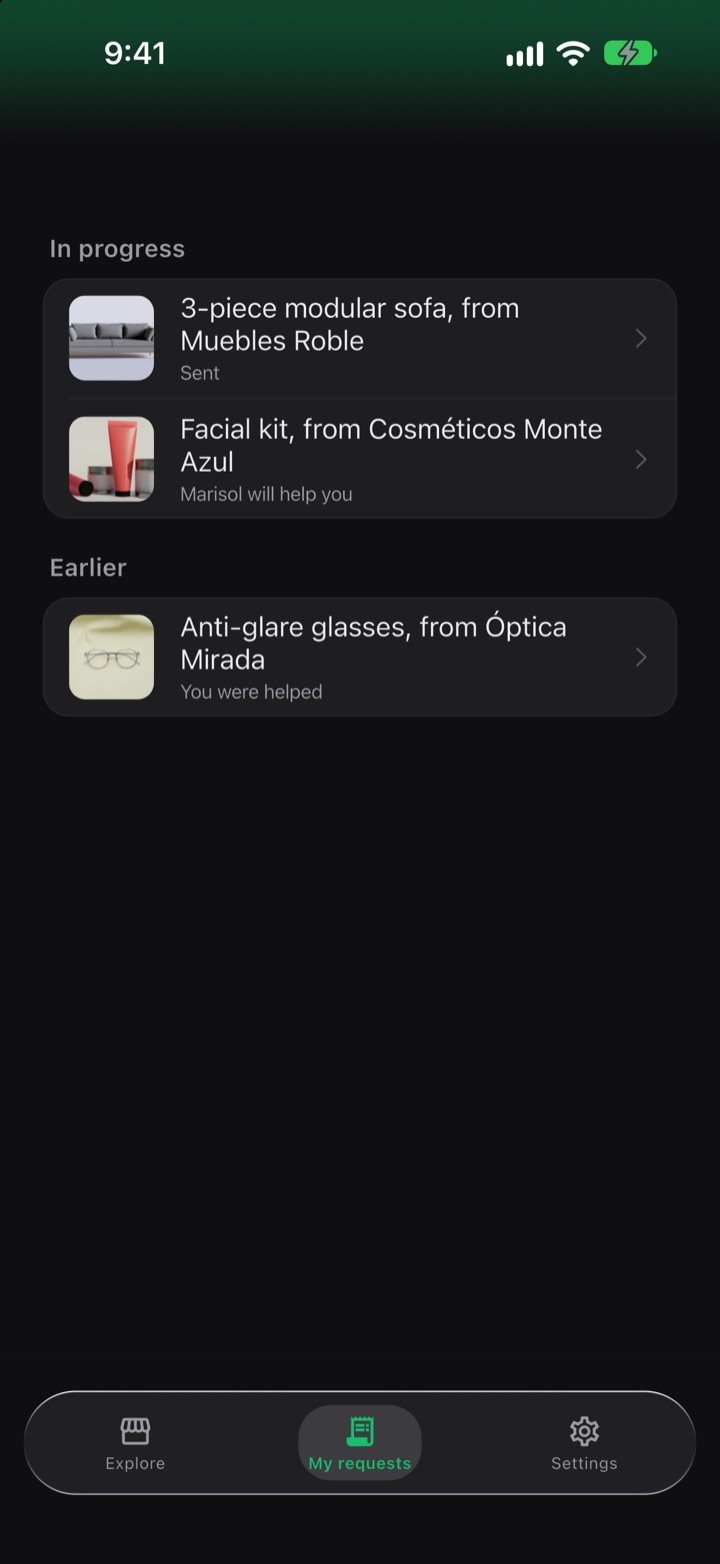
My requests
Where each one stands and who will help you. If you change your mind, cancel it.
No signal
If you ask while offline, your request waits sealed on your phone and goes out when there's signal.
Block and report
Block a business and it stops showing up; if you had something open with it, it's canceled and the business sees you blocked it. Report a product to us: it stops showing up and the business doesn't know who it was.
Delete everything
“Delete all my data” deletes what's on your phone and what's yours on the relay.
What it connects with
For now, you try FuaFlow Market with a sample business: you browse its catalog and ask to be helped, and nothing you ask for reaches anyone. Later on, a business with FuaFlow Teams will be able to publish its catalog there, and what you ask for will reach its people sealed: they handle it in FuaFlow CRM, and whoever runs the business sees it in FuaFlow Teams.
We can't read your name or your phone number.
FuaFlow Market has no accounts, ads, usage analytics or trackers, and we don't sell data. Your name, phone number and what you write are sealed on your phone for the business that helps you; our server only carries them.
- The secret half of your key lives in your iPhone's keychain and isn't copied to iCloud.
- Your name, phone number, area and what you write are sealed on your phone for the people at the business who can help you and whoever runs it. Our relay carries that envelope and can't open it.
- On the relay, a request is deleted 7 days after the person who helps you picks it up, or after 30 if nobody does.
- “Delete all my data”, in Settings, deletes what's on your phone and what's yours on the relay. First, you can ask businesses to delete what they got from you.
How much it costs
Free
No account and no ads. You buy from and pay the business, not FuaFlow Market.
Do you run a business?
Later on, you'll be able to publish your catalog on FuaFlow Market with FuaFlow Teams, and your team will handle requests in FuaFlow CRM, which is free. Before you publish, we verify your business.
Questions
How do I open a business?
Tap the link or scan the QR code the business shared with you: FuaFlow Market opens with its catalog. If you copied the link, in Explore tap “Paste a company's link”. To look around without a real business, tap “See a sample company”.
How do I ask for help?
On the product you like, tap “I want someone to help me”, write your name, phone and area, choose how and when you want to be contacted and tap “Send”. Before sending you see who gets your details and the business's privacy notice. If someone from that business takes your request, they message you on WhatsApp or call you, directly. In “My requests” you see when someone takes it.
Can I pay in the app?
No. FuaFlow Market is free and doesn't charge anything: you buy from and pay the business directly, and the business answers for what it sells.

Download FuaFlow Market
Free · iPhone and iPad, in Mexico
On Android? FuaFlow Market is in a closed test on Google Play, Mexico only. Join the test →