
Dialer-first CRM · your data on your device · iPhone, iPad & Mac
Import. Call. Close.
FuaFlow CRM turns your lead list into back-to-back calls: every call gets logged, every appointment booked, and every sale measured. All on your phone — not in someone else’s cloud.

Free, no account needed
On Android? FuaFlow CRM is in a closed test on Google Play, Mexico only. Join the test →

A day with FuaFlow CRM
From the spreadsheet to this: what the day looks like when your list becomes back-to-back calls.
-
08:12
The list loads itself
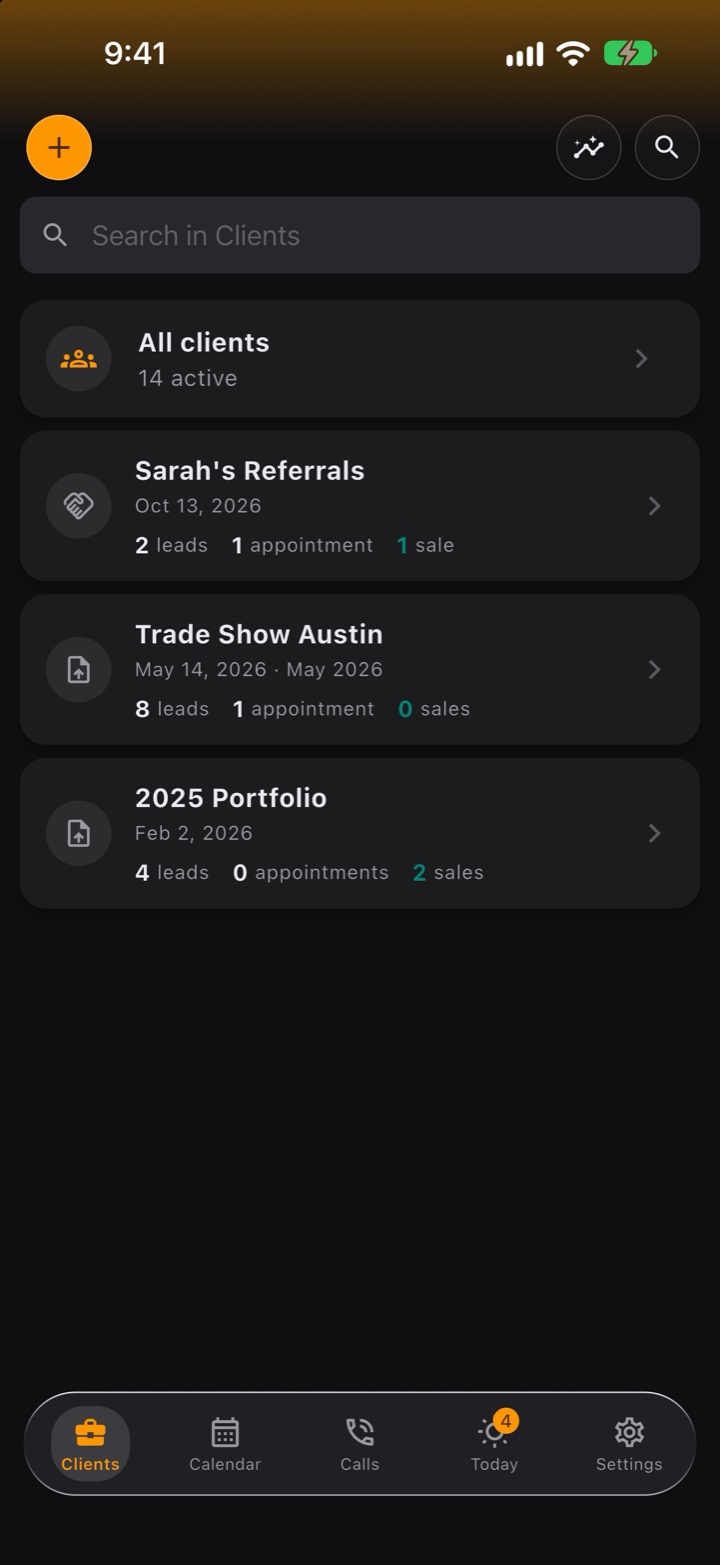
Bring your leads in from a CSV or straight from your phone’s contacts. FuaFlow CRM catches duplicates by phone number and enriches without erasing what you already had.
-
09:41
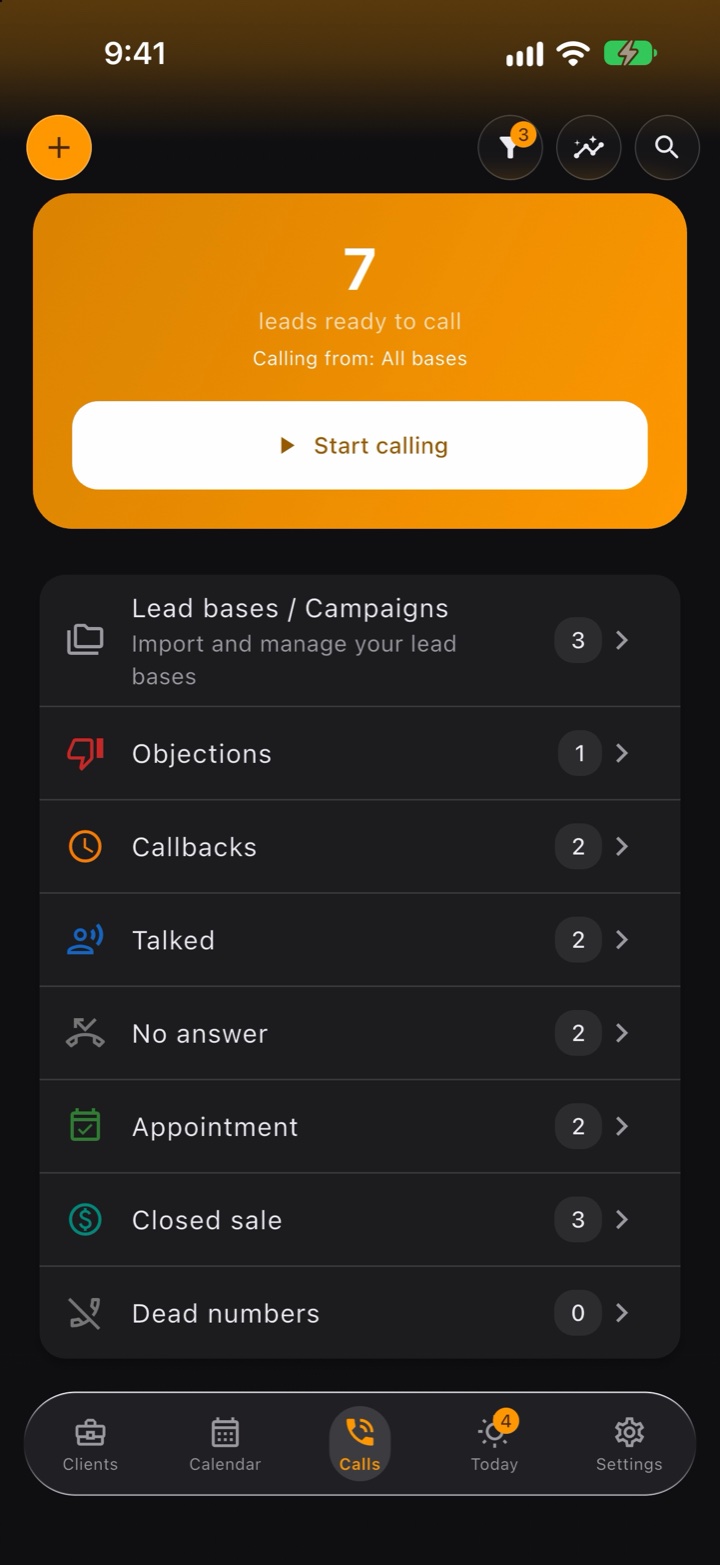
Dial back-to-back, log as you hang up
FuaFlow CRM orders your calls by lead quality. When you hang up, one tap logs what happened — and a sale is not the same as an appointment. No answer? Another tap sends them a ready-made WhatsApp message with their name.
-
11:05
The appointment is locked in
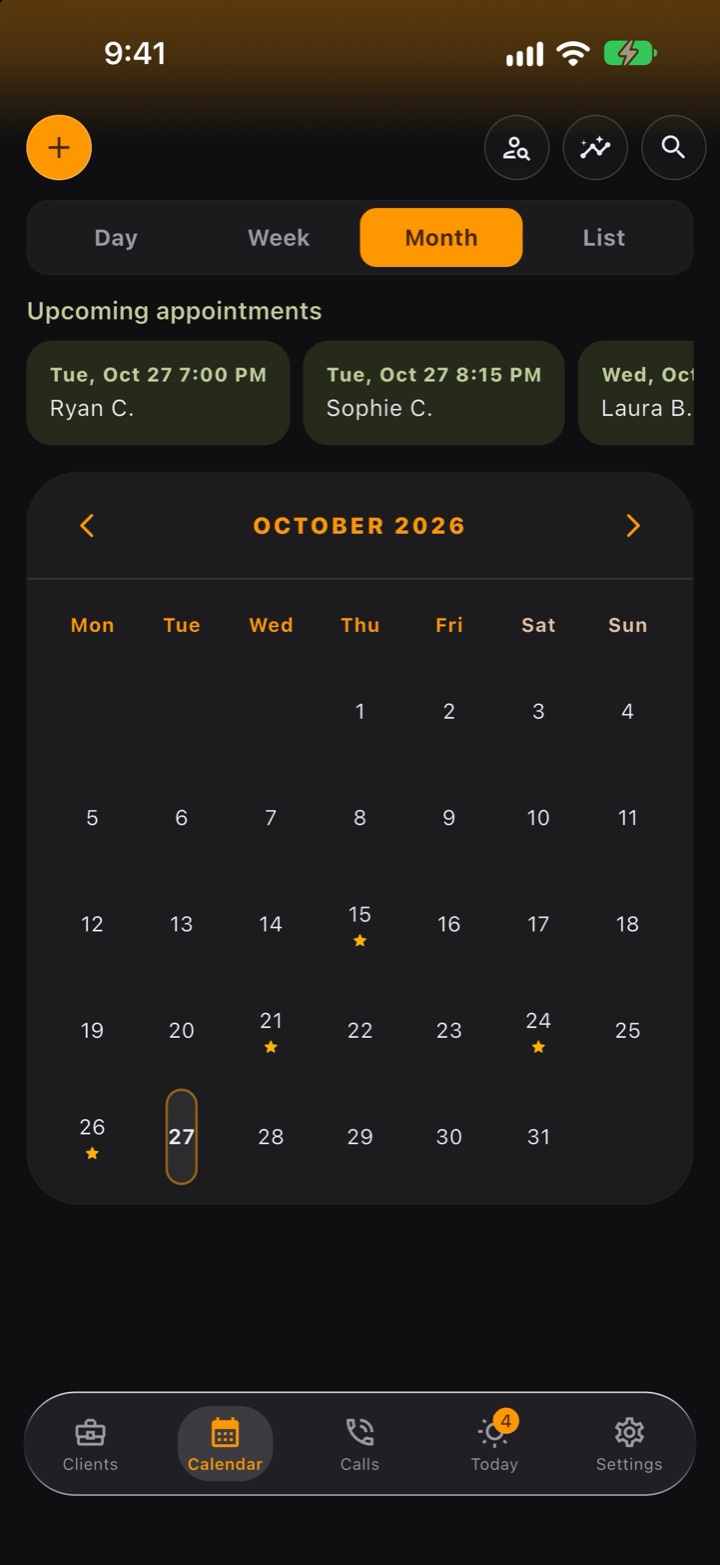
Who, when and where — your client shares their location on WhatsApp and FuaFlow CRM saves the exact pin. On the day of the visit, “Directions” opens the route.
-
11:32
The client, in their own voice
Tap the mic in the client’s Activity Log, talk and tap it again: the note lands as a bubble with its time, right next to the history. It stays on your phone and travels in your backup.
-
13:20
“Call me later” never slips away
Every callback promise stays pinned on your Today screen until you resolve it. Overdue ones turn red — no lead goes cold in silence.
-
18:05
Sale!
Log it as you hang up — or with “Hey Siri, register a sale in FuaFlow CRM” — and FuaFlow CRM celebrates with you: confetti and cash register included. The sale feeds its campaign’s scorecard on its own.
-
18:22
Collections and delivery, under control
Financed sale? FuaFlow CRM keeps the payment plan, and every payment shows up on your Today screen — on the due date or as many days ahead as you choose — until you mark it paid. And when you deliver, inventory counts itself down.
-
20:30
The day closes with numbers
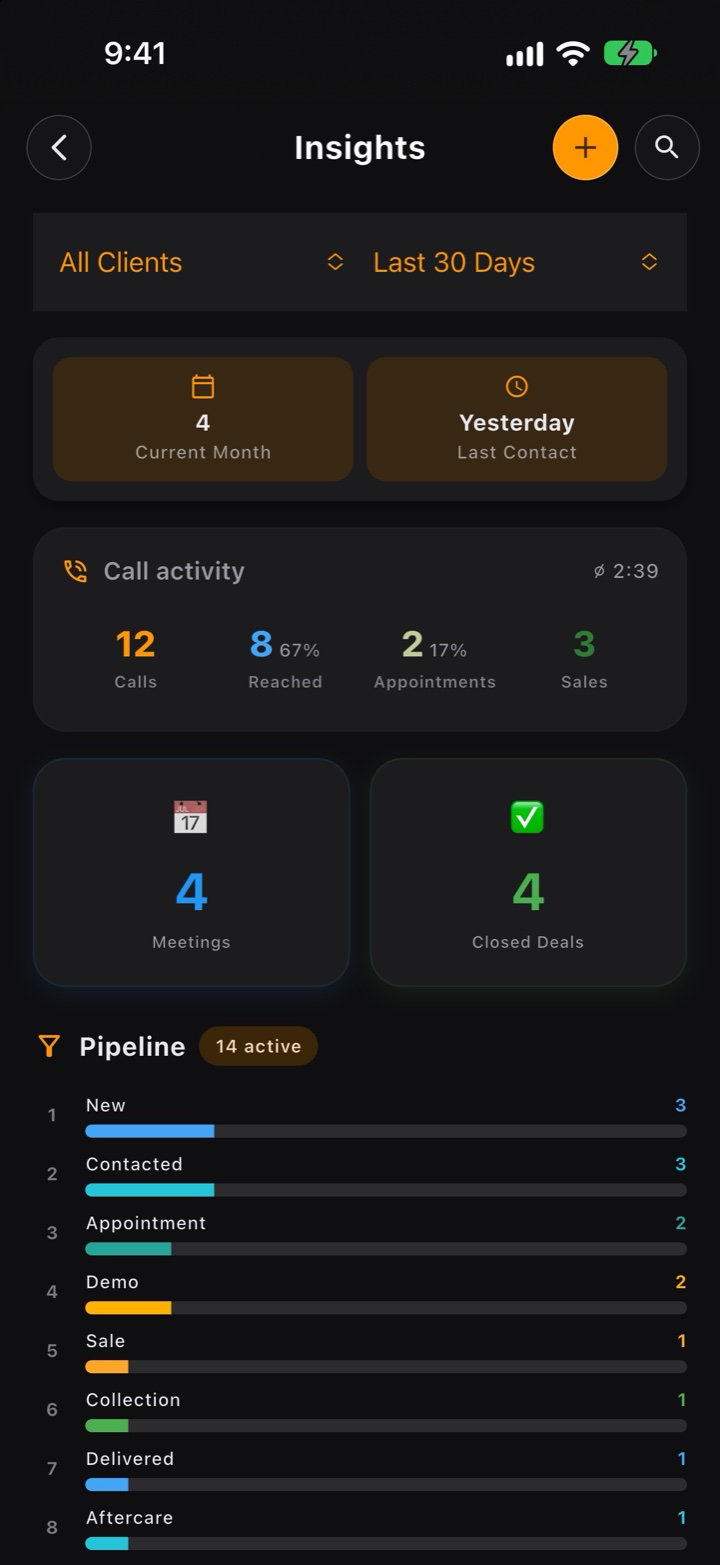
Every list keeps its own numbers: contacted, appointments, sales and conversion — and Objections shows the no’s you hear most. You know which list is worth running again — with numbers, not hunches.
From lead to aftercare, no spreadsheets
FuaFlow CRM’s pipeline is eight real field-sales stages — from the lead coming in to getting paid and delivering. And if your process is different, rename and reorder them as you like.
New
Enters your base from CSV or your contacts.
Contacted
You’ve talked — the lead knows who you are.
Appointment
Date, time and place locked, with a reminder.
Demo
You met the client and presented.
Sale
The close is signed. It measures itself.
Collection
Every payment in the plan waits on Today until you mark it.
Delivered
Delivery done, stock counted down.
Aftercare
Follow-up for the next purchase.
On all your devices
The same app on your Apple devices. Each one keeps its own data, and they don’t sync with each other.
iPhone
Call back-to-back with one hand and, when you hang up, log how it went with one tap.
iPad
The list and the client side by side, your clients as a table or a board, and the calendar with the day beside it.
Mac
On Macs with Apple silicon: menus, keyboard shortcuts and right-click. You call through your iPhone and, if you allow notifications, the Dock shows what’s pending today.
iPhone Duo
Buttons and tabs next to the status bar, closed or open.
In testing
Android
Coming to Google Play after the App Store.
What it connects with
If whoever leads your team uses FuaFlow Teams, you join from FuaFlow CRM with the code they send you, in Settings › My team. You decide which numbers they get, and a client only leaves your phone if you share them in an appointment or a sale.

Your clients live with you.
FuaFlow CRM has no accounts, no trackers and no ads, and the app sends nothing over the internet unless you ask it to. If you join a team in “My team”, what you share with your team travels encrypted through our server, which can’t read it; of your clients, only what you share in an appointment or a sale.
- Everything lives in a local database on your device; your backup — voice notes and photos included — stays with you or goes to your own cloud, password-protected if you want.
- Contacts, microphone and location only work for your base, on your device — nothing goes through us.
- You can protect the app with Face ID or your phone’s biometrics; your own system does the checking.
How much it costs
Free
Everything it does is available without paying and without creating an account.
Questions
Where is my data? Does it go to the cloud?
Everything lives in a local database inside your device. FuaFlow CRM has no accounts, and your notes and voice notes never go through us: the app sends nothing over the internet unless you ask it to. If you join a team in “My team”, what you share with your team (of your clients, only what you share in an appointment or a sale) travels encrypted through our server, which can’t read it. Only what you send goes to a cloud, such as the backup to your own iCloud Drive (or your Google Drive, on Android). See the privacy policy for the full detail.
Which devices does FuaFlow CRM work on?
On iPhone, iPad and Macs with Apple silicon (on Mac it’s the iPad app, with its menus and keyboard shortcuts), and it’s ready for iPhone Duo, closed or open. Each device keeps its own data and they don’t sync: to move your data from one to another, use a backup (see “How do I restore a backup or move my data to another phone?”). From iPad and Mac you call through your iPhone, if Calls on Other Devices is turned on. Your purchase travels with your App Store account: on another device, tap “Restore purchases”. The Android version is in testing and will come to Google Play.
How do I import my leads?
Tap Import leads: it’s in Clients while there is no one yet and in the + at the top left (also in Calls → Lead lists / Campaigns → +). Choose “Import CSV” or “Import contacts” (you can “Download CSV template” right there); the base name is optional: leave it empty and it takes your file’s name. FuaFlow CRM detects duplicates by phone number and, if the lead already existed, fills in the empty fields without erasing what you had. When it finishes, the base shows how many came in, how many are new and how many are returning.
Download FuaFlow CRM
Free · iPhone, iPad and Mac
On Android? FuaFlow CRM is in a closed test on Google Play, Mexico only. Join the test →